Kansei 管制 · mission control
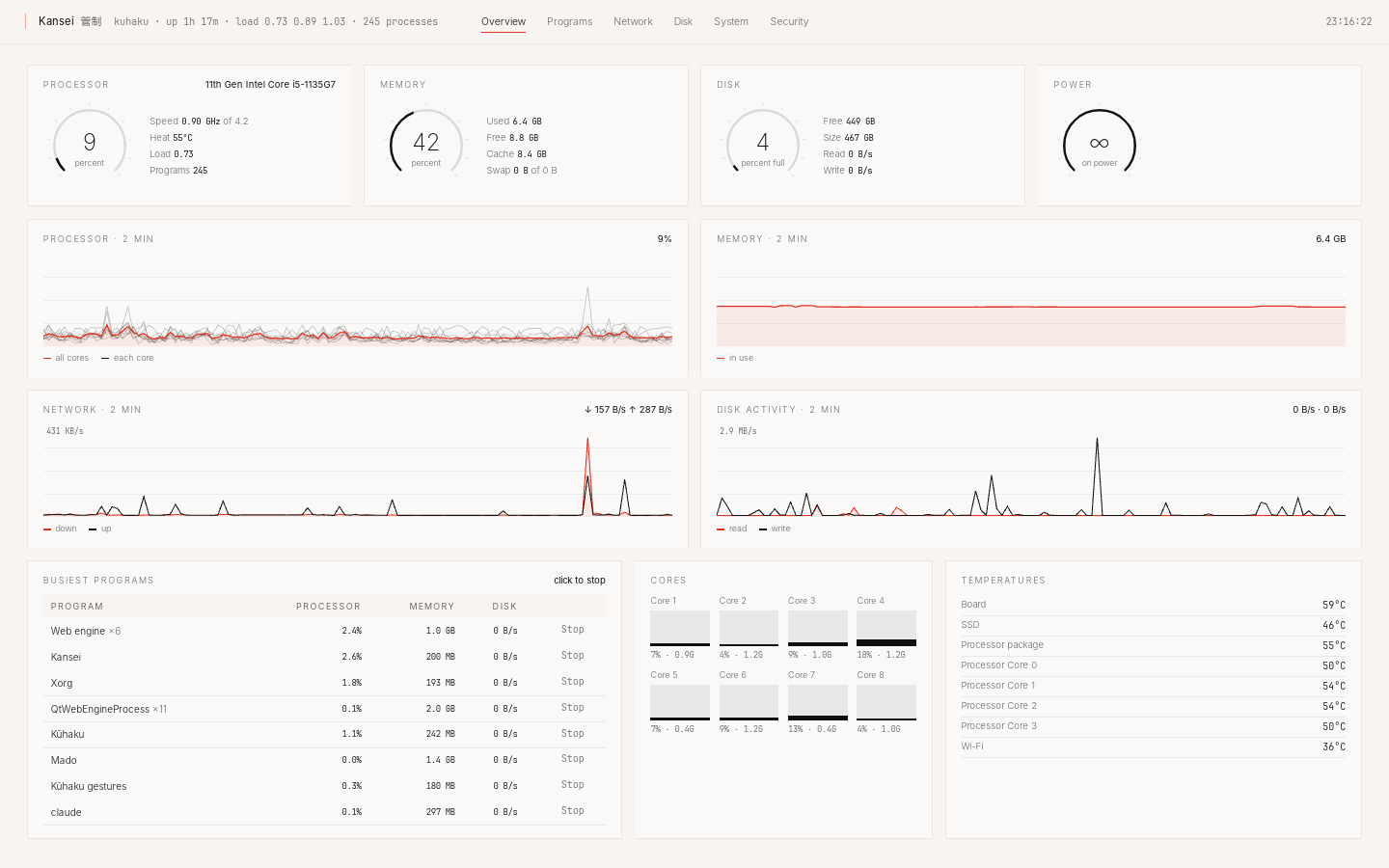
Kansei shows everything the computer is doing, live.
Why it exists
Kansei is the fullest screen in a system about emptiness. It is there because a calm screen should never hide what the machine is doing. It stays out of sight under the Terminal until you ask for it.
What it leaves out
Nothing on the home screen. No tray icon, no widgets, no alerts. It opens from the Terminal and closes with Esc.
What it does
- At a glance.
- Processor, memory, disk and power as gauges, with two minutes of history and every core and temperature.
- Every program, and what it costs.
- Memory, processor and disk use for each app, with a button to stop it.
- The rest of the machine.
- Who your computer is talking to, which ports are open, what fills the disk, what starts at boot, and a security check.
Ask
Why is the computer slow?
The web engine is using most of the processor. Stopping Mado's video tab would free it.
Keys
- 1 to 6
- overview, programs, network, disk, system, security
- Esc
- close
Status
Works today.
Try it
Make your computer Kūhaku.
Free and open source. A USB stick and about ten minutes, or one line on Debian and Linux Mint.
Download KūhakuVersion 0.2.2 · 1.5 GB · 64-bit PCs